 An official website of the United States government.




What's New at NPDB
Stay up to date with the latest enhancements to the NPDB website and user experience.
July 2026
7/31/2026
- Cancel an enrollment immediately when the initial response becomes available
Organizations can now mirror One-Time Query functionality by setting the enrollment to end immediately when the initial query response becomes available. The enhancement to end the enrollment immediately is only available through NPDB's secure website.Enrollment Period

- Query Options page reorganized
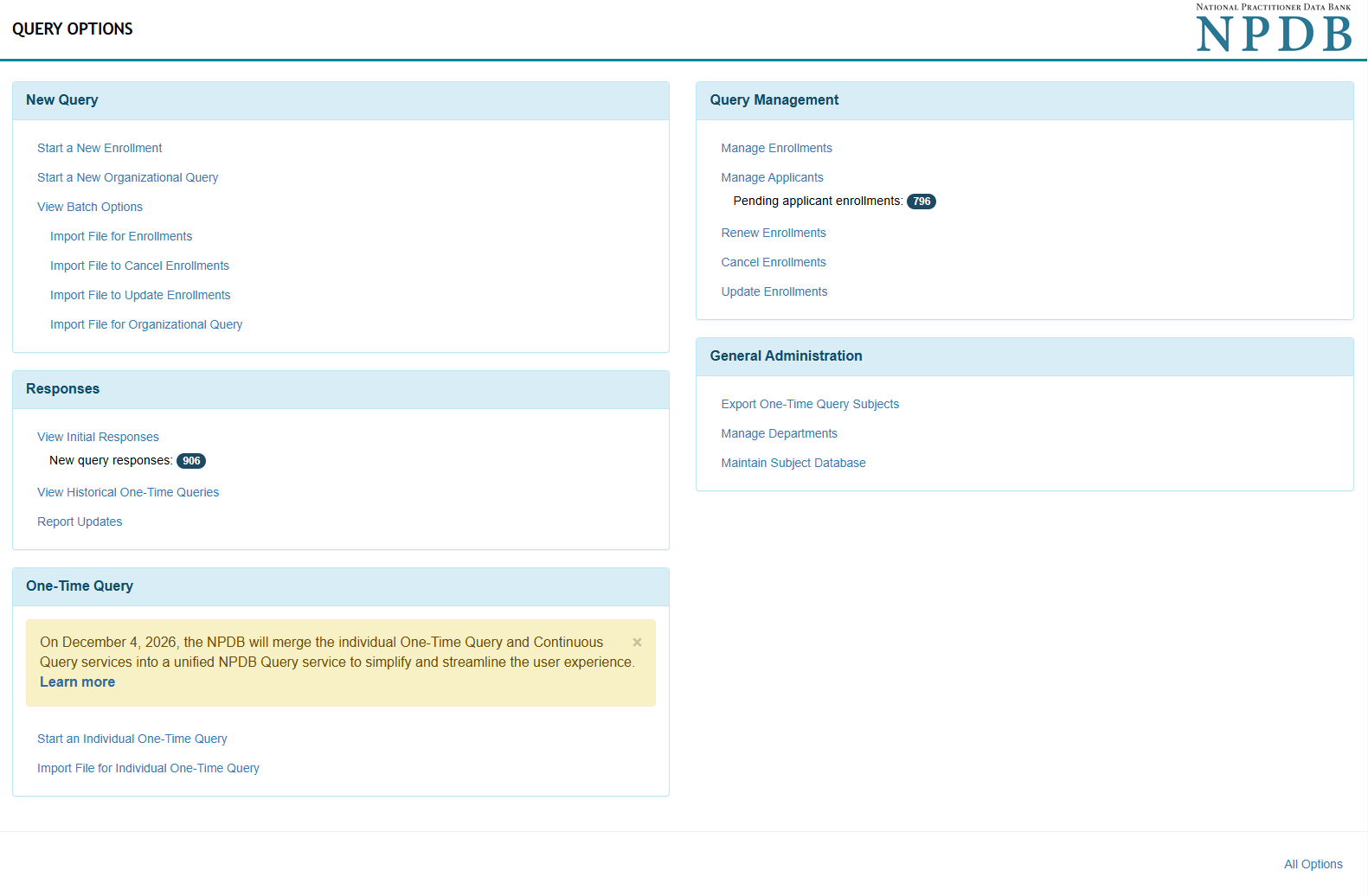
We've reorganized the Query Options page to make it easier to find the options you use most. No features have been removed—some options have simply moved to make the page easier to navigate. Options to start and manage query enrollments have been moved to the top of the page for quicker access. Batch options have been consolidated into one menu selection for organizations that query in bulk. You can continue to create One-Time Queries from the bottom of the page until the transition to NPDB Query is complete, scheduled for December 4, 2026.Query Options
- Enable Organizational One-Time Query (if needed)
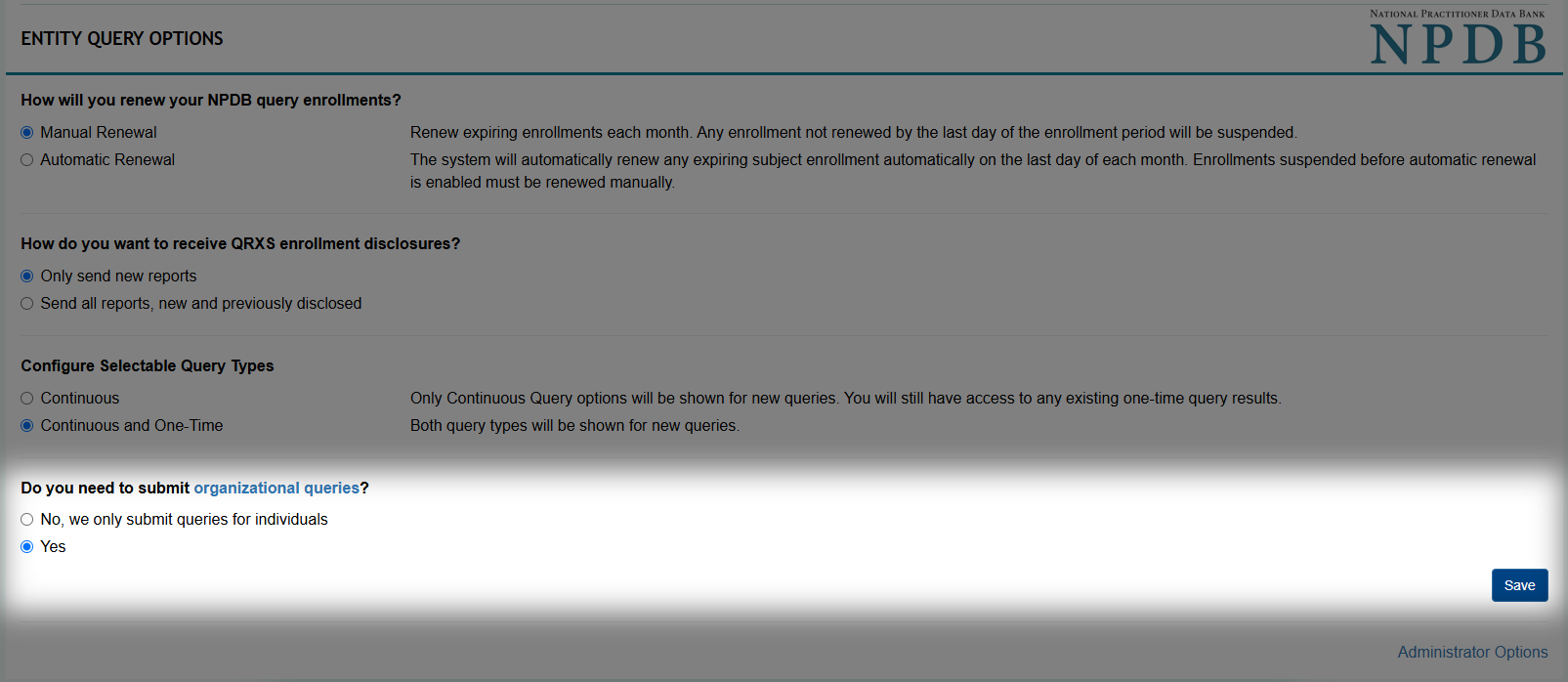
Organizations submitting an Organizational One-Time Query for the first time must enable the option in Entity Query Options . A Data Bank administrator can enable the option at any time.
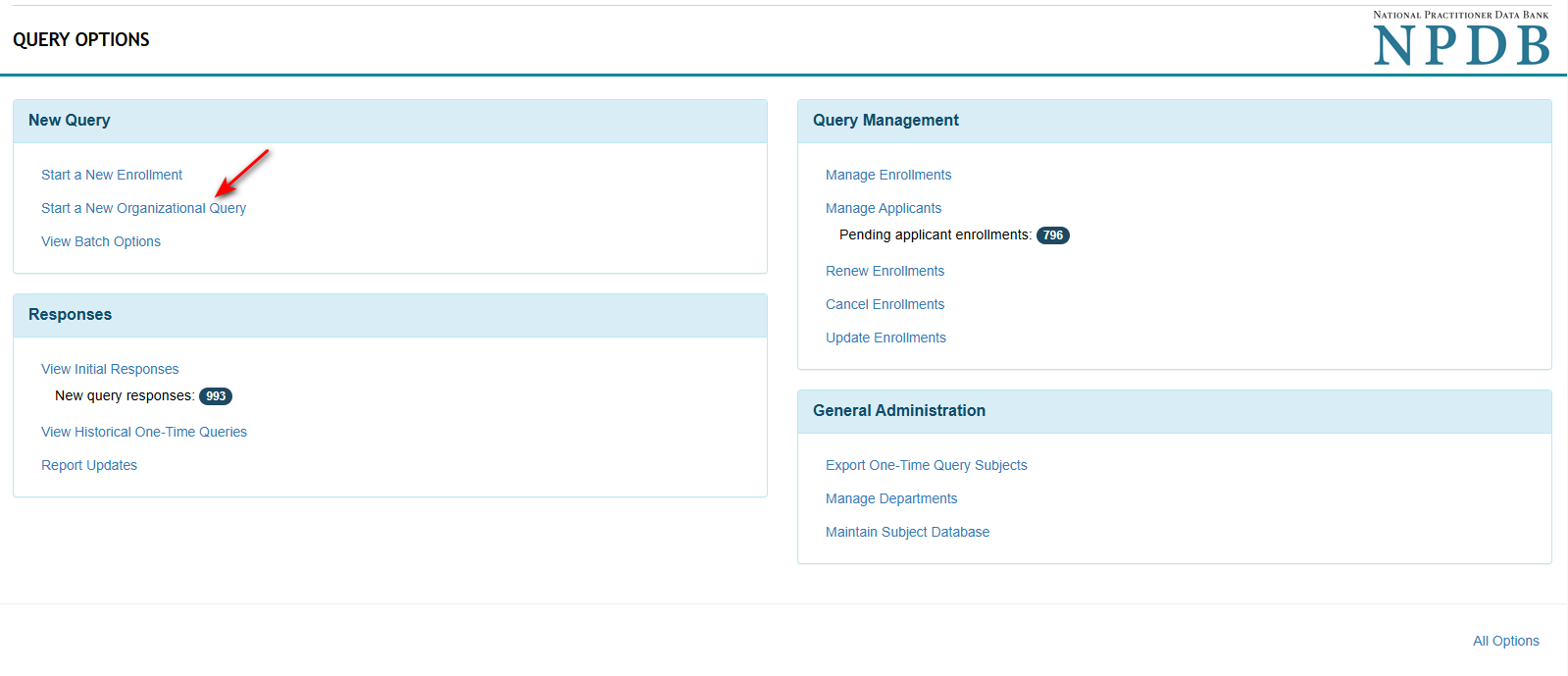
No action is needed for organizations currently using Organizational One-Time Query . The option is already enabled and the Start a New Organizational Query link is available.Entity Query Options
Query Options
7/17/2026
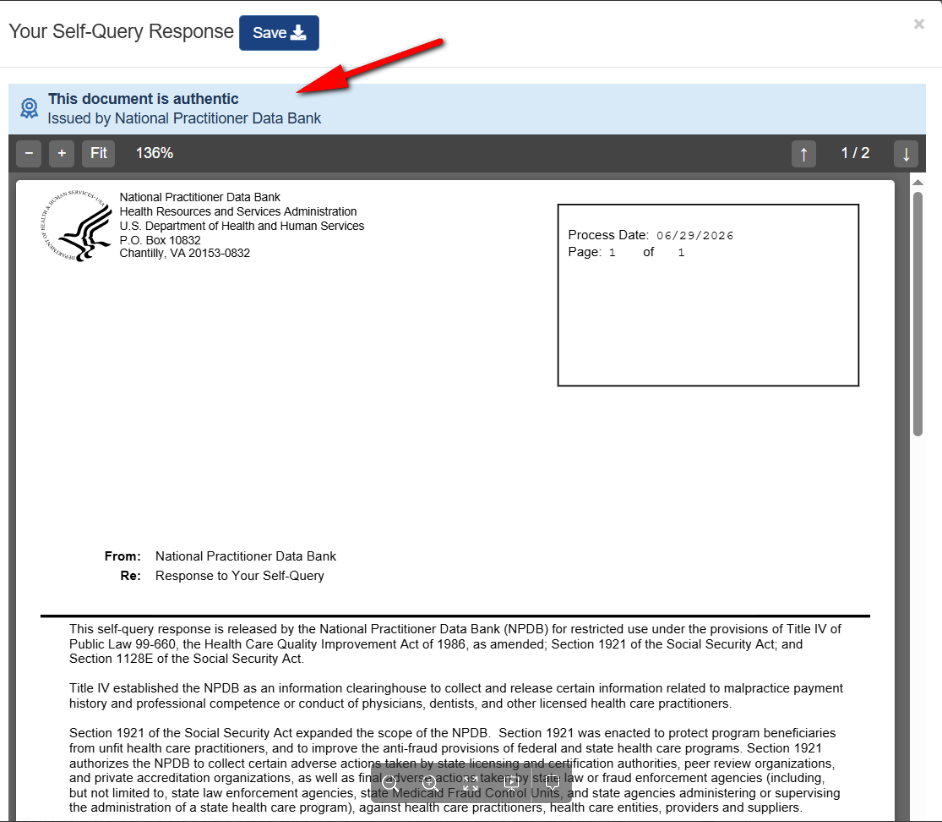
- Self-Queries now show the PDF certification status on the Self-Query response view in personal account
The Self-Query response in a personal account now shows the blue certification ribbon indicating that the Self-Query is certified and issued by the NPDB.Your Self-Query Response
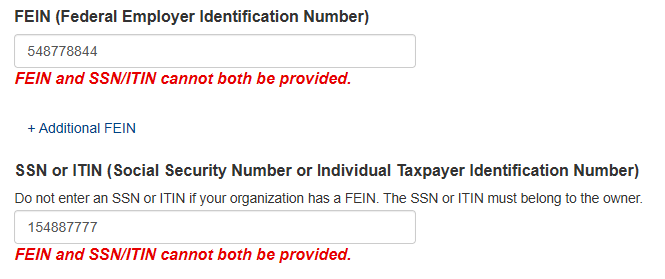
- Organizational Self-Query form will no longer accept both FEIN and SSN numbers
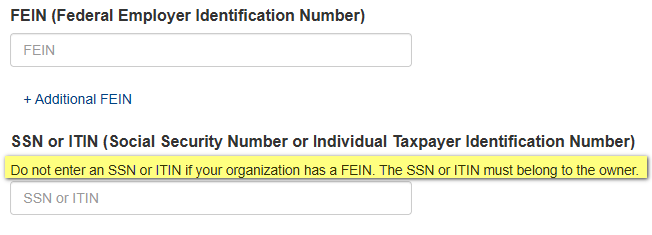
An Organizational Self-Query should contain the organization's Federal Employer Identification Number (FEIN) . If the organization does not have an FEIN number the query should contain the owner of the organization's Social Security Number (SSN) or Individual Taxpayer Identification Number (ITIN).
You will not be allowed to enter both the FEIN and SSN in the submission .Organizational Self-Query Form
Organizational Self-Query Form
7/3/2026
- Large query enrollment downloads are now processed in the background
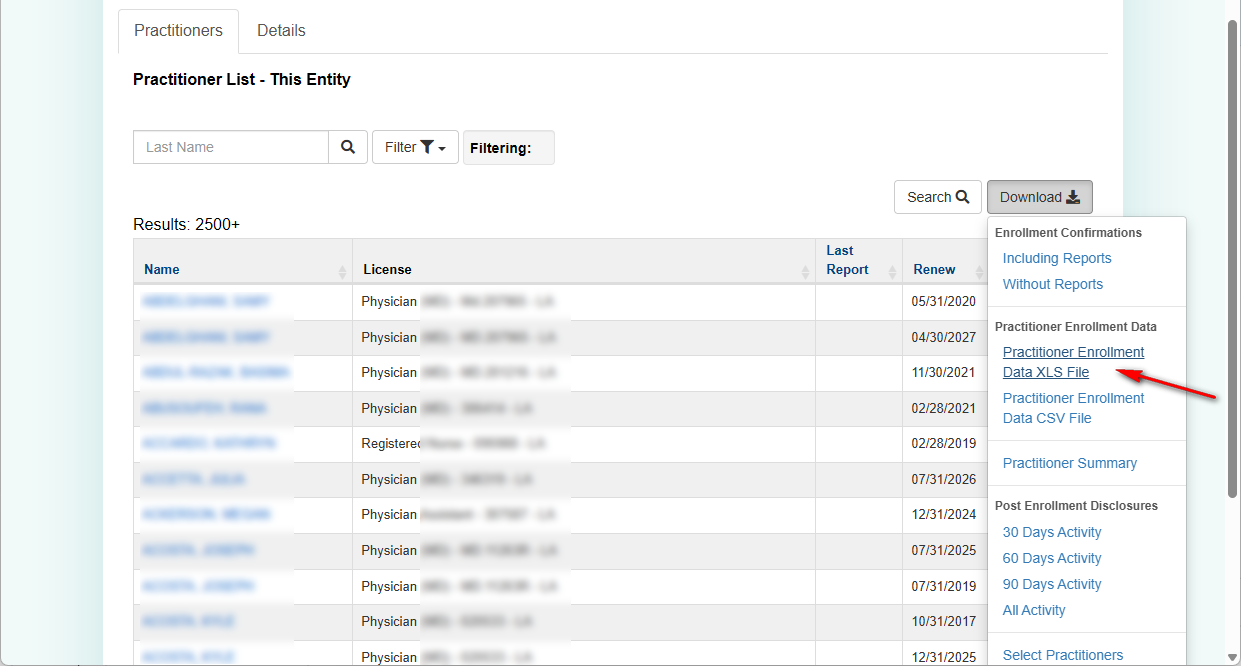
- When you download the Practitioner Enrollment Data XLS File for 2,500 or more query enrollments , the NPDB now processes the request in the background. This removes the 50,000 enrollment download limit, allowing all enrollments to be downloaded. Downloads containing fewer than 2,500 enrollments are still available immediately.
Practitioner List
- After you request the download , you can continue working in the NPDB while your file is prepared.
Queuing Download
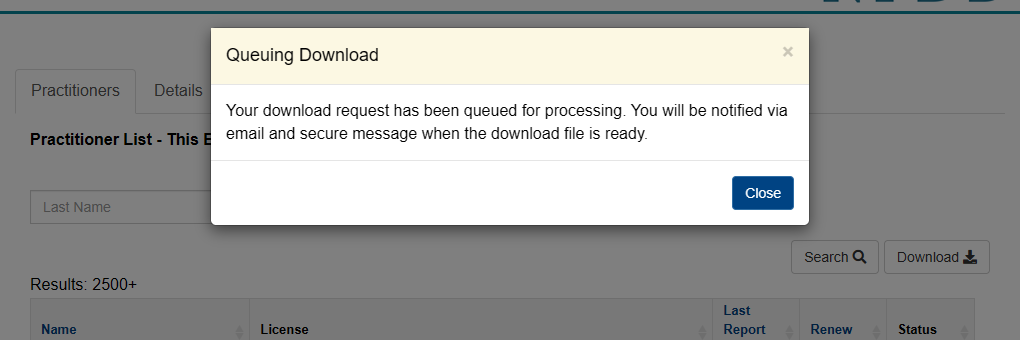
- You will receive an email notification when your download is ready. The download will be sent as a secure message .
Select An Option
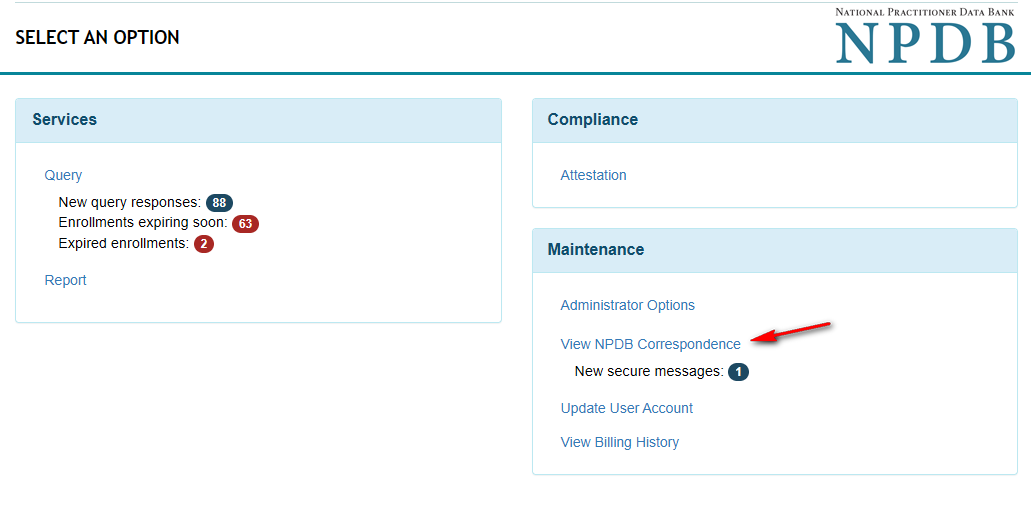
NPDB Correspondence
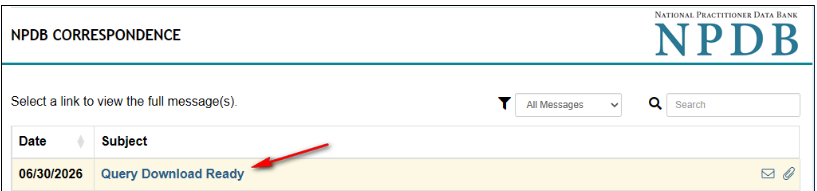
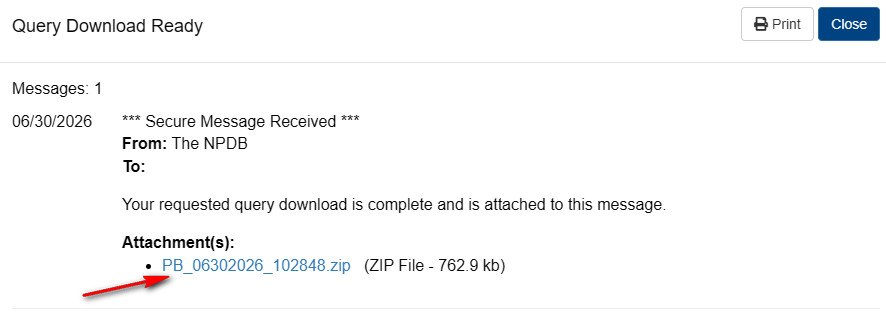
- The download is provided as a zip file . For large downloads, the zip file may contain multiple Excel or CSV files.
Query Download Ready
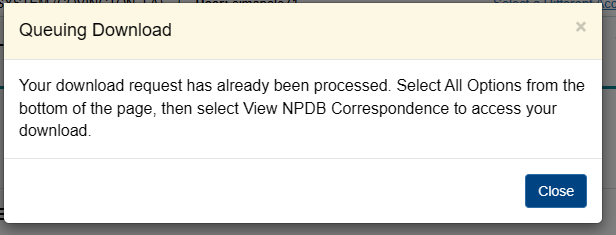
- To help manage system resources, only one download per day is allowed for the same practitioner dataset (e.g. all active enrollments). If a download has already been requested for that dataset, you'll receive a message indicating the download has already been processed.
Queuing Download
- You can submit another download by filtering for different enrollment data.
- When you download the Practitioner Enrollment Data XLS File for 2,500 or more query enrollments , the NPDB now processes the request in the background. This removes the 50,000 enrollment download limit, allowing all enrollments to be downloaded. Downloads containing fewer than 2,500 enrollments are still available immediately.
